How to pay remittances on a lawyer's behalf
Usually lawyers will remit payments online directly through their accounts using a debit/credit card or by reporting that they mailed a check payment. This requires no administrator intervention or assistance.
However, the Community.lawyer platform allows for administrators to make payments on a lawyer's behalf -- for example, if a lawyer calls the legal referral service and provides their credit card information over the phone.
To make a payment on a lawyer's behalf, simply go to the matter that you want to submit a payment for, click the matter card to expand it, and select the "Pay fees on the attorney's behalf" button: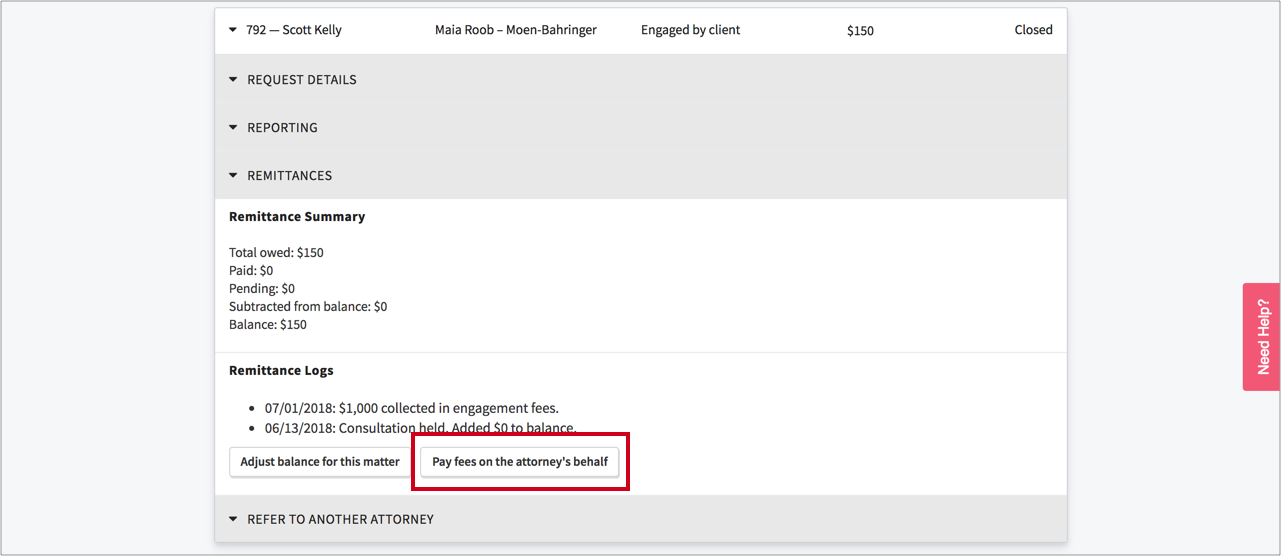
Once you select the "Pay fees on the attorney's behalf" button, you will have two options to make a payment:
Pay by card:
Or Pay by check: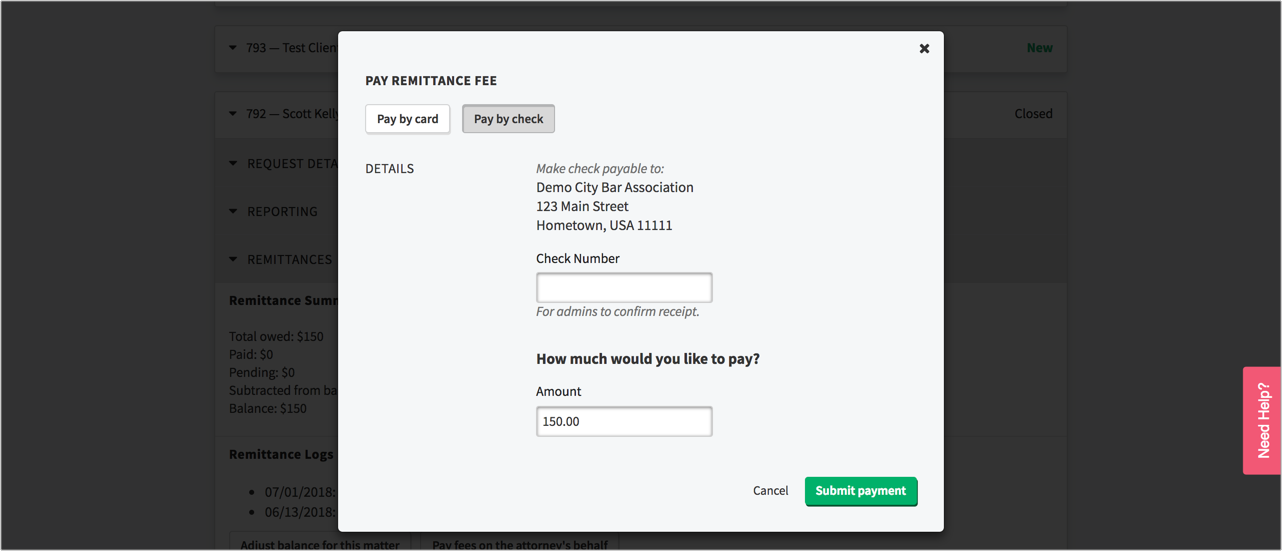
You can toggle to the preferred payment method, complete the payment form, and click the Submit button to make a payment.
A few notes about payments:
- When administrators make payments on lawyer's behalf, the lawyer's payment details are not stored for later use by the administrator.
- When you make a check payment on an attorney's behalf, you are indicating that the attorney has mailed the check to you. Once the check is received, you will need to confirm receipt of the check payment -- at which time the payment is considered final and the matter's balance is adjusted accordingly.
- If a lawyer is requesting that a single check payment be distributed across multiple matter balances, you must specify the portion of the check that is to serve as payment for the particular matter you are reporting the check payment for. For example, an attorney may ask you to distribute Check #1234 of $1500 across Matter 1 and 2, which have balances of $1000 and $500 respectively. When reporting a check payment on the lawyer's behalf, you would report a check payment of $1000 from Check #1234 on Matter 1 and a check payment of $500 from Check #1234 on Matter 2.
- We strongly encourage you to ask attorneys to make online payments and report check payments directly through their accounts. This will not only save significant administrator time but it's also more efficient since the interface for lawyers to submit payments makes bulk payments (payments on multiple matters at once) possible whereas the administrator system does not..