How to adjust the balance on a matter
From your administrator account, you can adjust the balance on a matter by either subtracting/waiving the balance or adding to the balance. This is useful when, for example, a lawyer erroneously reports collecting client fees or an administrator erroneously confirms a check payment.
To subtract/waive a balance:
Go to the Remittances section of the matter you want to waive fees for. Click the "Adjust balance for this matter" button:
Next type in the amount you want to subtract from the balance on the matter, click the "Subtract this amount from the balance" radio button, and click the Submit button: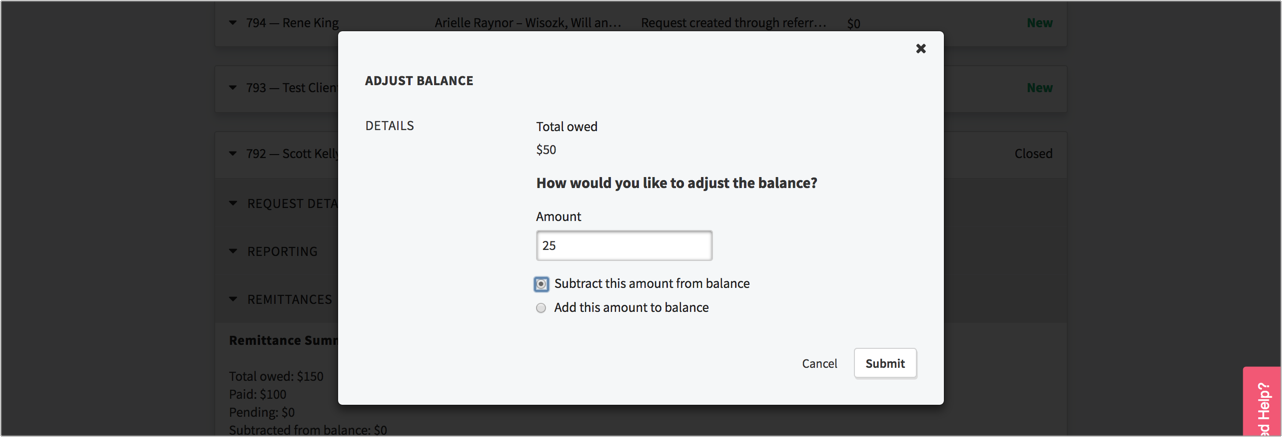 The specified amount will be subtracted from the balance, and a remittance log will be created that notes the adjustment: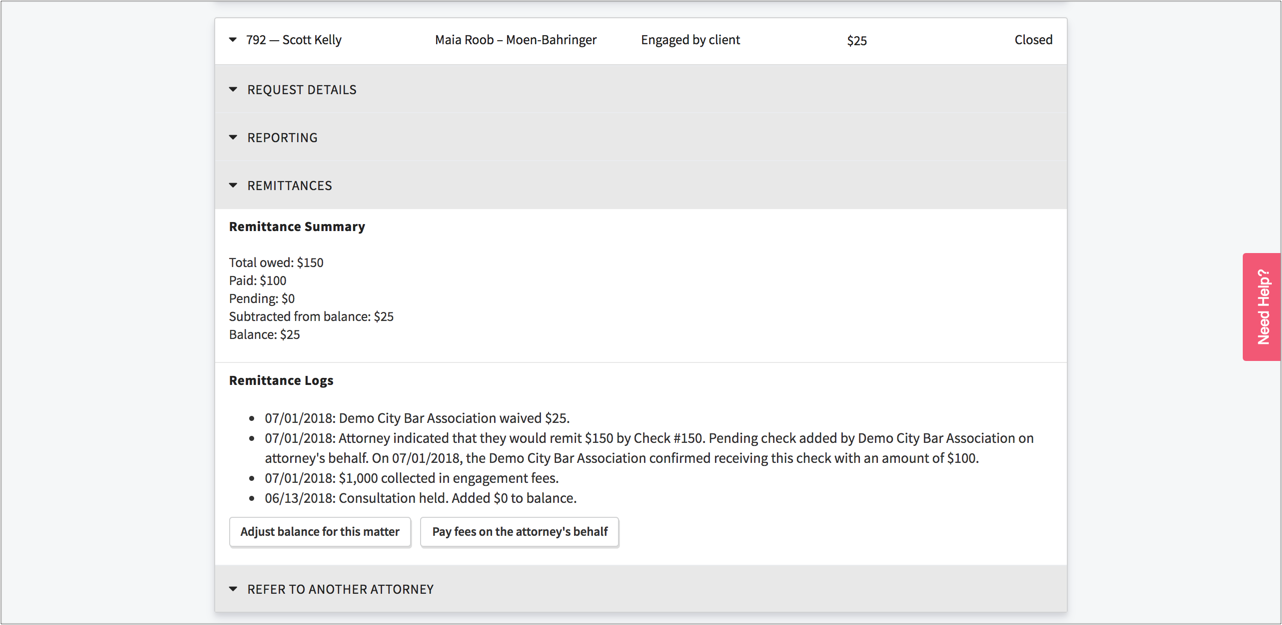
To add to a balance:
Go to the Remittances section of the matter you want to waive fees for. Click the "Adjust balance for this matter" button. Next type in the amount you want to subtract from the balance on the matter, click the "Add this amount to the balance" radio button, and click the Submit button. The specified amount will be added to the balance, and a remittance log will be created that notes the adjustment.