How to add, review, or delete proof of insurance
Note that this section is only applicable to your portal if you require lawyers to submit proof of insurance.
In order for lawyers to receive referrals via your portal, lawyers must submit and maintain valid proof of insurance -- or administrators can add proof of insurance on the lawyer's behalf.
Here's an overview of how the feature works:
Automated emails
Your portal sends out a series of automated emails to remind lawyers when their proof of insurance is about to expire -- one approximately one month from the date of expiration, the other one week from the date of expiration. In addition, your system emails lawyers when their proof expires and they are no longer eligible to receive referrals, and sends two reminder emails after that.
Reviewing proof of insurance
When a lawyer submits new proof of insurance, the master administrator email address for your portal will receive an email notification. To review the lawyer's submission, log into your admin account, go the Lawyers tab, and use the Search bar to find the relevant lawyer.
Next click to open up the "Professional Liability Insurance" section where you should see the lawyer's submission with a "Pending" status: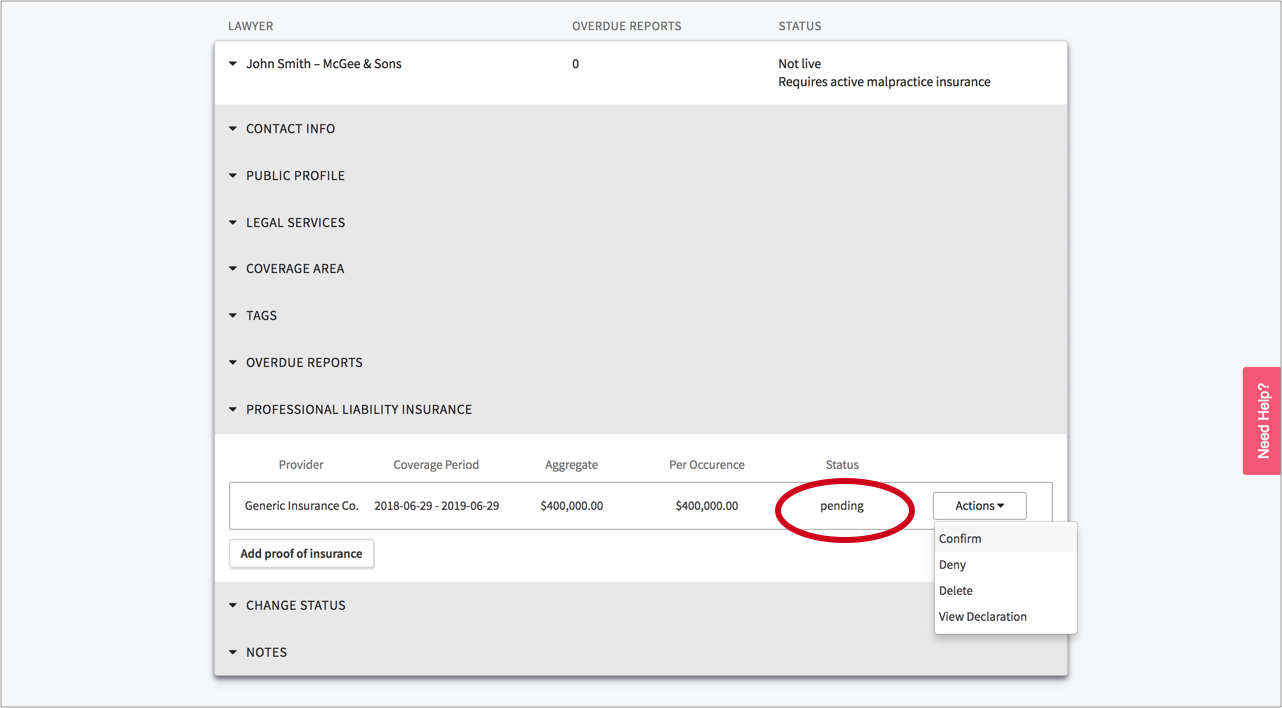
To review the policy's declaration page, click on the "Actions" drop down and select "View Declaration" to download the document. Next you can decide either to "Confirm" or "Deny" the submission by selecting the relevant menu option from the "Actions" dropdown.
If you confirm proof of insurance, the lawyer is eligible to receive referrals (unless other issues are blocking the account from going "live"). If you deny the proof, the proof is deleted and the lawyer is not eligible to receive referrals (unless they already have valid proof). The lawyer is notified by email of the denial and instructed to contact you to learn more.
Adding proof of insurance
As an administrator, you can also elect to add proof of insurance on a lawyer's behalf. To do so, simply open up the "Professional Liability Insurance" section in the Lawyer card and click "Add proof of insurance":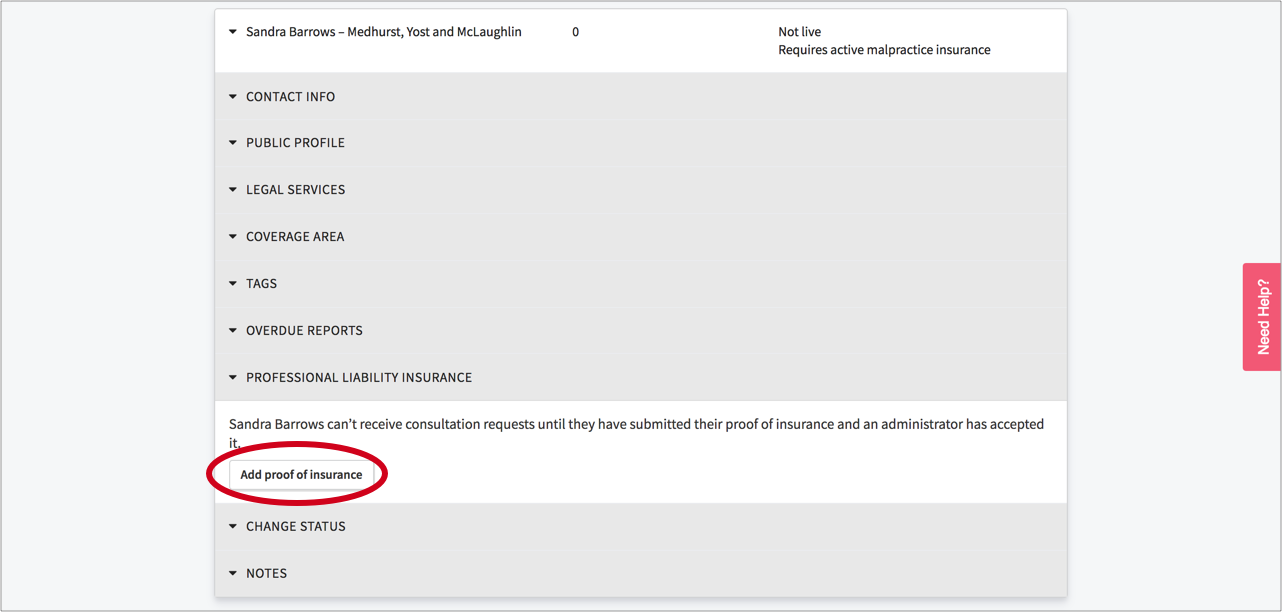
Next fill in the modal that pops up with the applicable details about the lawyer's policy, upload their proof of insurance, and click "Submit":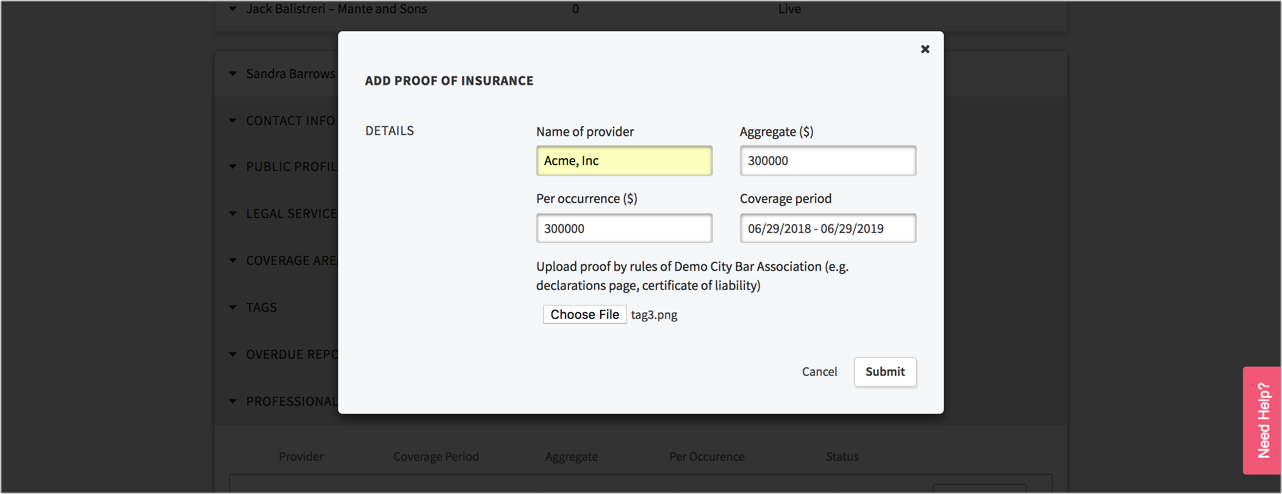
Delete proof of insurance
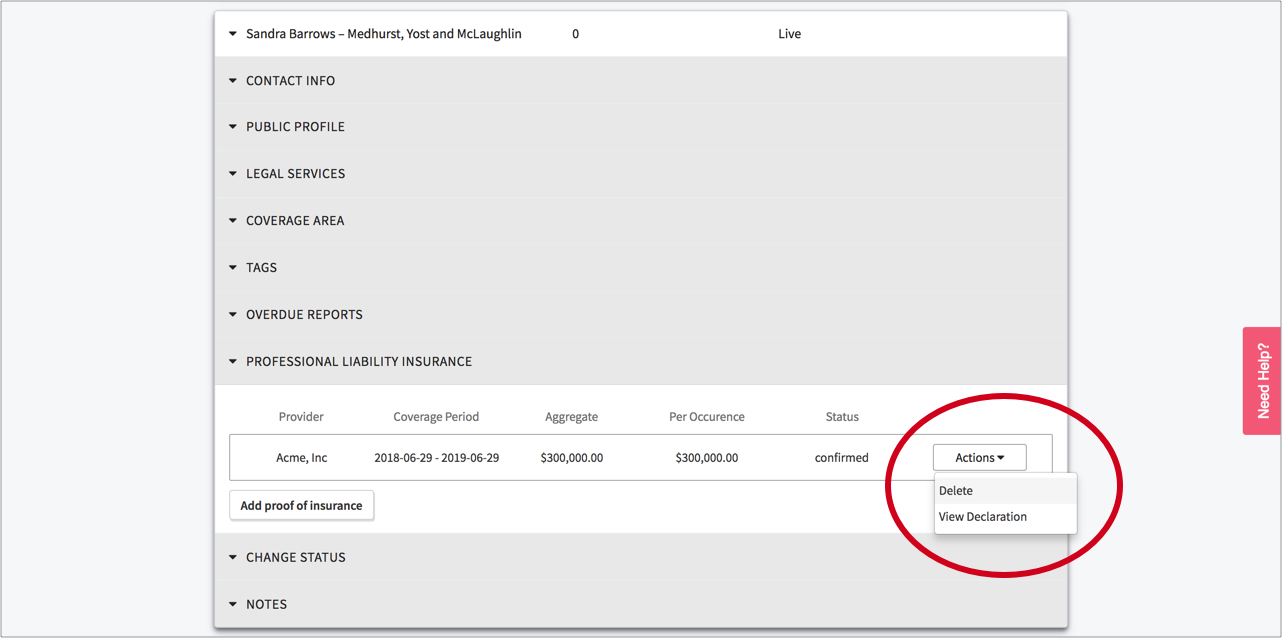
To delete proof of insurance, simply click the "Actions" dropdown and select "Delete":