How to edit the tags associated with a lawyer's account
Tags are the arbitrary keywords (e.g. "weekend hours") that you have elected to associate with the lawyer. There are two ways you can add tags to a lawyer's account.
You can add existing tags by selecting from the "Add existing tag" dropdown and clicking the "Add" button: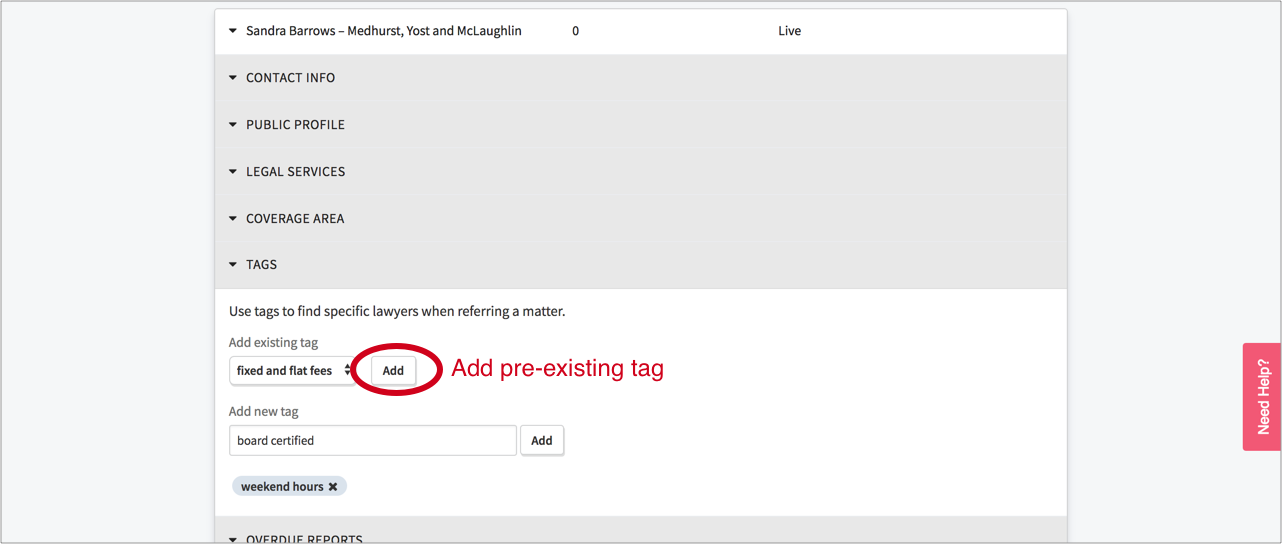
Or you can create a new tag by typing a word or phrase into the "Add new tag" field and clicking the "Add" button beside it: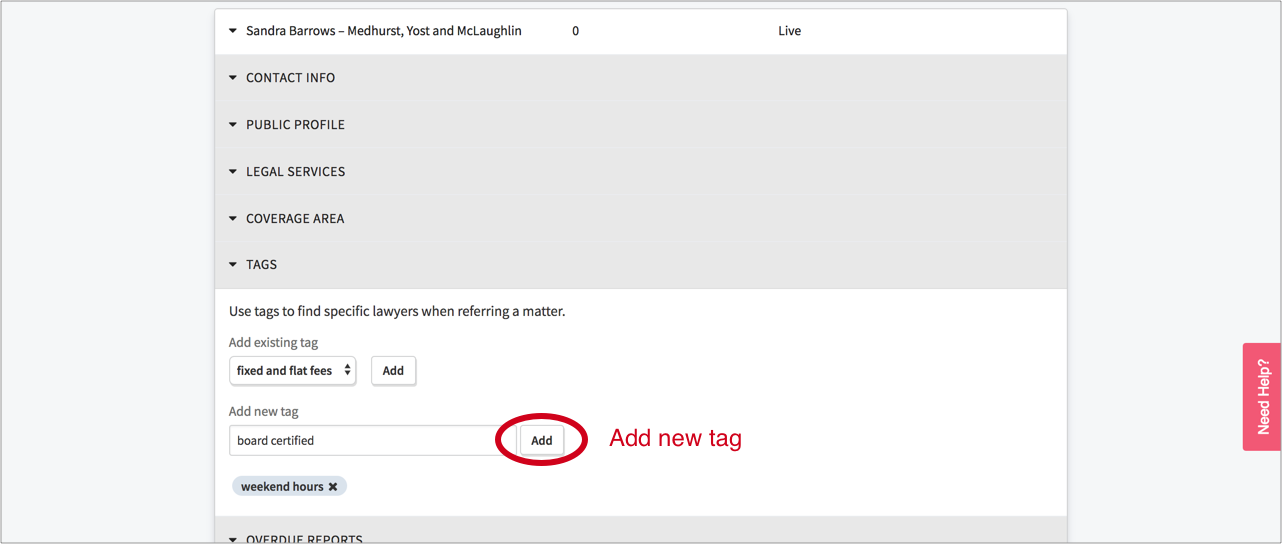
Once a tag has been associated with a lawyer, it can be used to filter your list of panel lawyers when making referrals via that admin "Add matter" feature (more later on making referrals as an admin). In the example below, the tag "weekend hours" was filtered on and only one attorney ("Sandra Brown") had that tag and matched the other referral criteria:
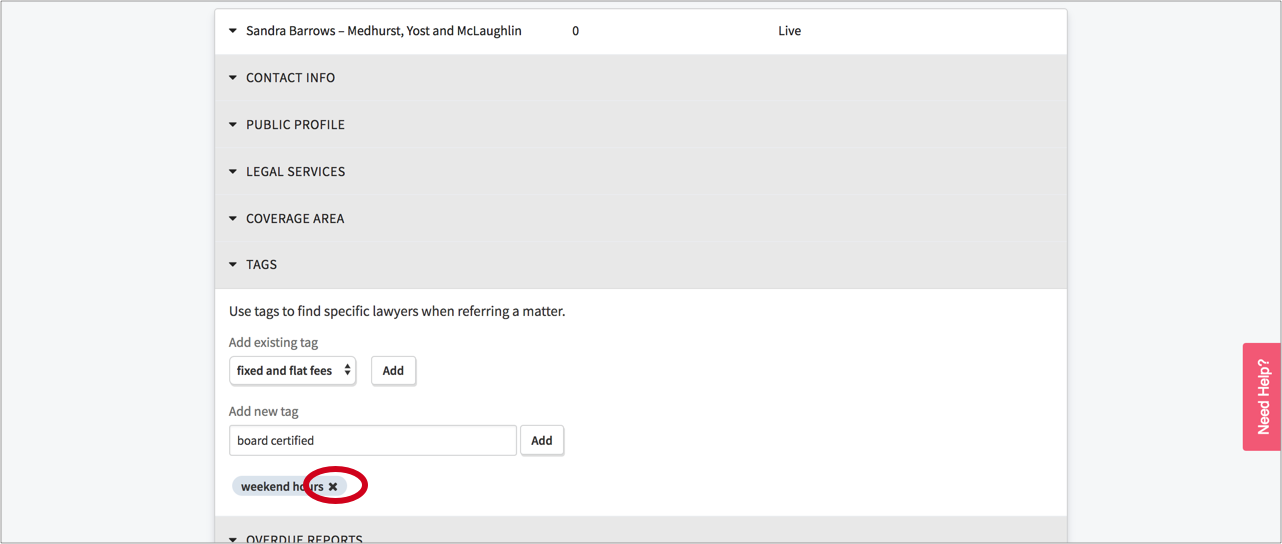
To delete a tag, just click the "X" in the pillbox and the tag is no longer associated with the lawyer's account: