How to make referrals to outside organizations
You can manually refer a member of the public to an outside organization by clicking “Add matter” button under the “Matters” tab of your dashboard. This feature is designed for referral requests that you receive through phone or in-person intakes: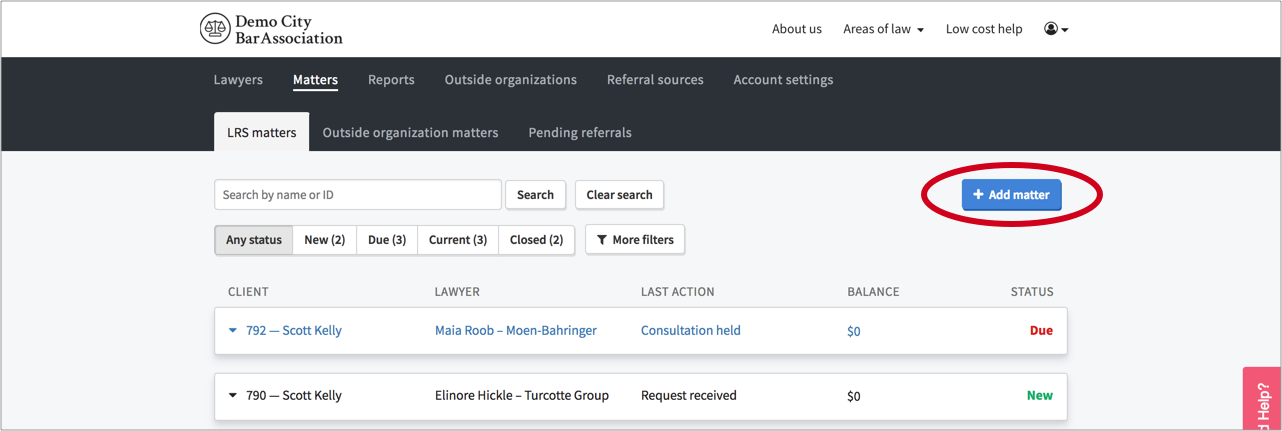
After you click “Add matter”, a modal appears where you can input the details of the request. These fields correspond to the fields that potential clients would populate themselves when submitting a request through your online intake system. To toggle from making a lawyer referral to making an organization referral, click the "Refer to an outside org." tab: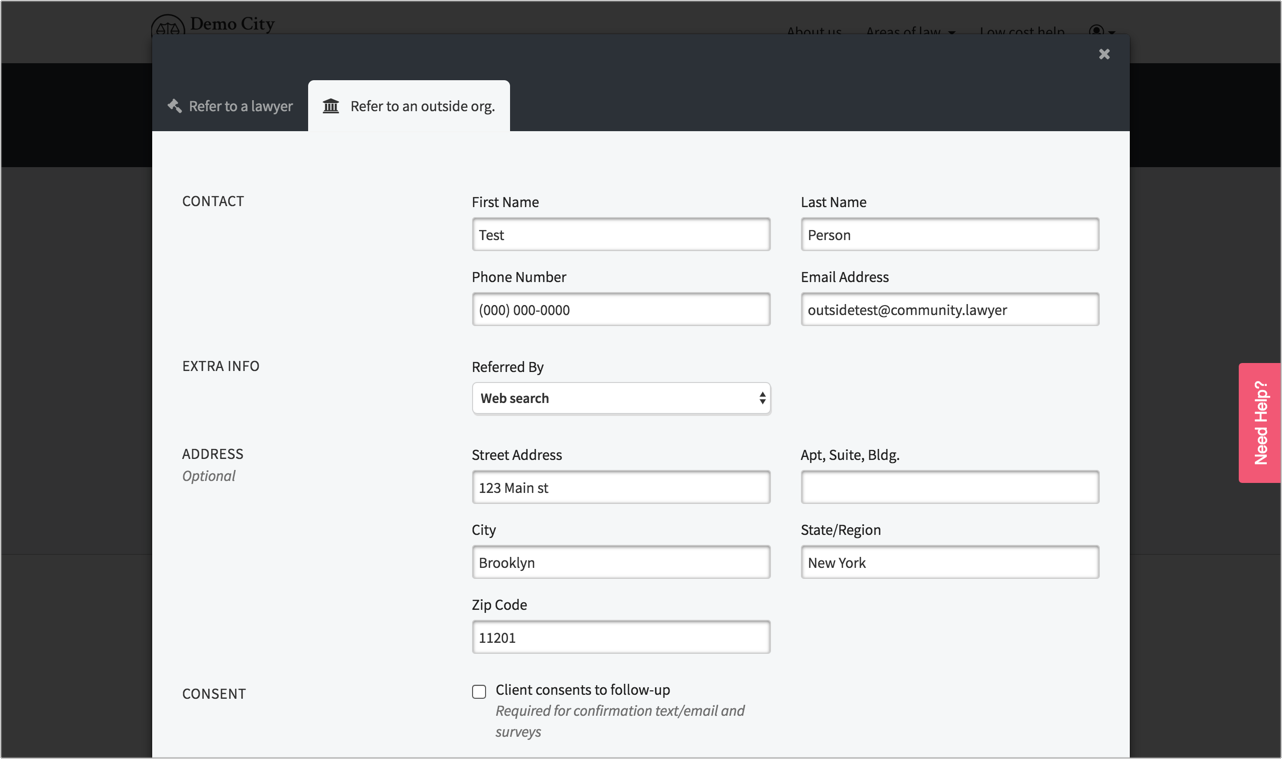
Next fill in the client contact and consent details, select the applicable tags, and type a location (e.g. zipcode, address, city/town name) into the location search box. Then click the "Search" button. This will return a list of organizations that have the tags you filtered on and who provide services in that geographic area:
To finish making the referral, simply select the organization that you want to refer the matter to, click the "Submit" button, and a new organizational referral will be populated into your system:
When you make a referral to an outside organization, an automated email and text will be sent to the prospective client if you indicated that they consented to follow up. This will include the contact details and public description of the outside organization.
Note that when making a referral to an outside organization, you can check the "Refer client to no organization" and click the Submit button. This will log the intake but generate no referral.