How to make phone & in-person referrals
You can manually create a new consultation request by clicking “Add matter” under the “Matters” tab of your dashboard. This feature is designed for referral requests that you receive through phone or in-person intakes: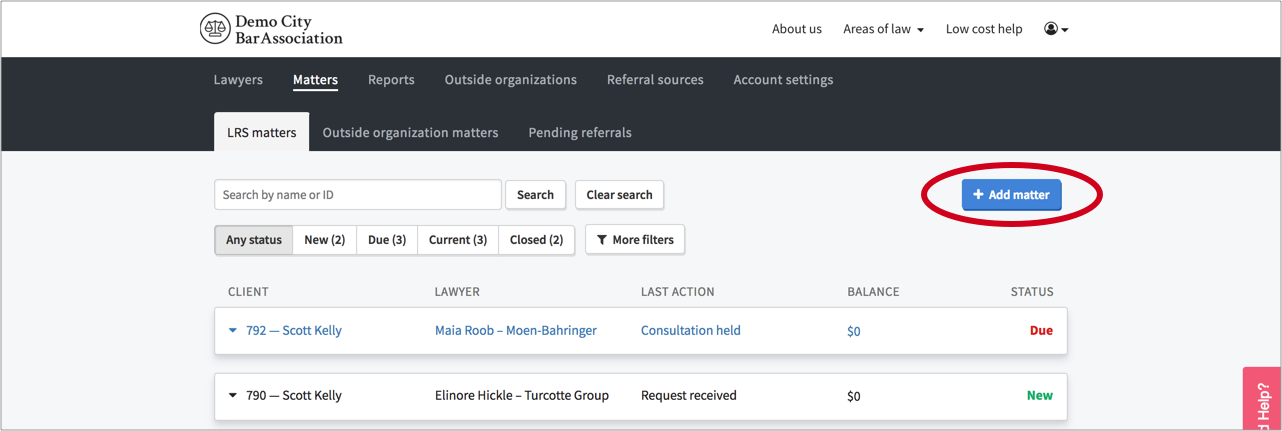
After you click “Add matter”, a modal appears where you can input the details of the request. These fields correspond to the fields that potential clients would populate themselves when submitting a request through your online intake system:
First fill in the client contact and consent details, select the applicable matter and subtype, and applied any other relevant filters (e.g. Languages, Modest Means, Tags). Next type a location (e.g. zipcode, address, city/town name) into the location search box and click the "Search" button.
This will return a list of lawyers that meet the matter/subtype, language, and tag filters you applied who provide services in that geographic area. The list of lawyers is sorted with the lawyer who received a referral the longest time ago at the top of the queue: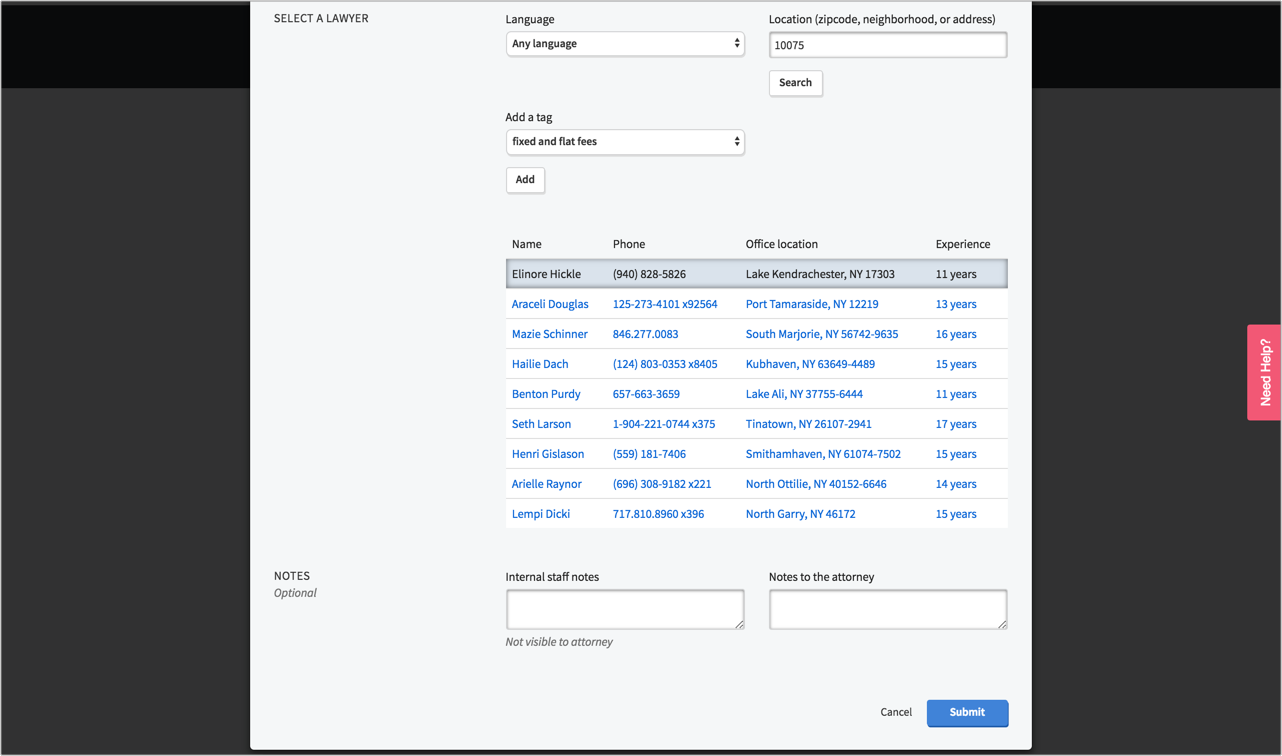
To finish making the referral, simply select the lawyer whom you want to refer the matter to, click the "Submit" button, and a new referral will be populated into your system:
When you add a matter, an automated email and text will be sent to the prospective client if you indicated that they consented to follow up. A notification email will also be sent to the lawyer you’ve referred them to.